

Why do customers choose DIDWW?
The VoIP platform for telecommunication and business professionals

Compliant two-way SIP Trunking, everywhere
Full global compliance in 80 countries and 5093 areas. Readily available Landline, Mobile and Toll Free Phone Numbers and two-way local SIP Trunking. Licensed or directly partnered with a local carrier in every country.

Designed for carriers, excellent for enterprises
Built for quality, performance, security and privacy at every level. Network uptime - 99,998%, strategically placed mega POPs, direct peering & optimised routing.

Profitable business outcomes
Experience DIDWW flexibility from custom pricing to free professional customer service to simplify your business decisions.
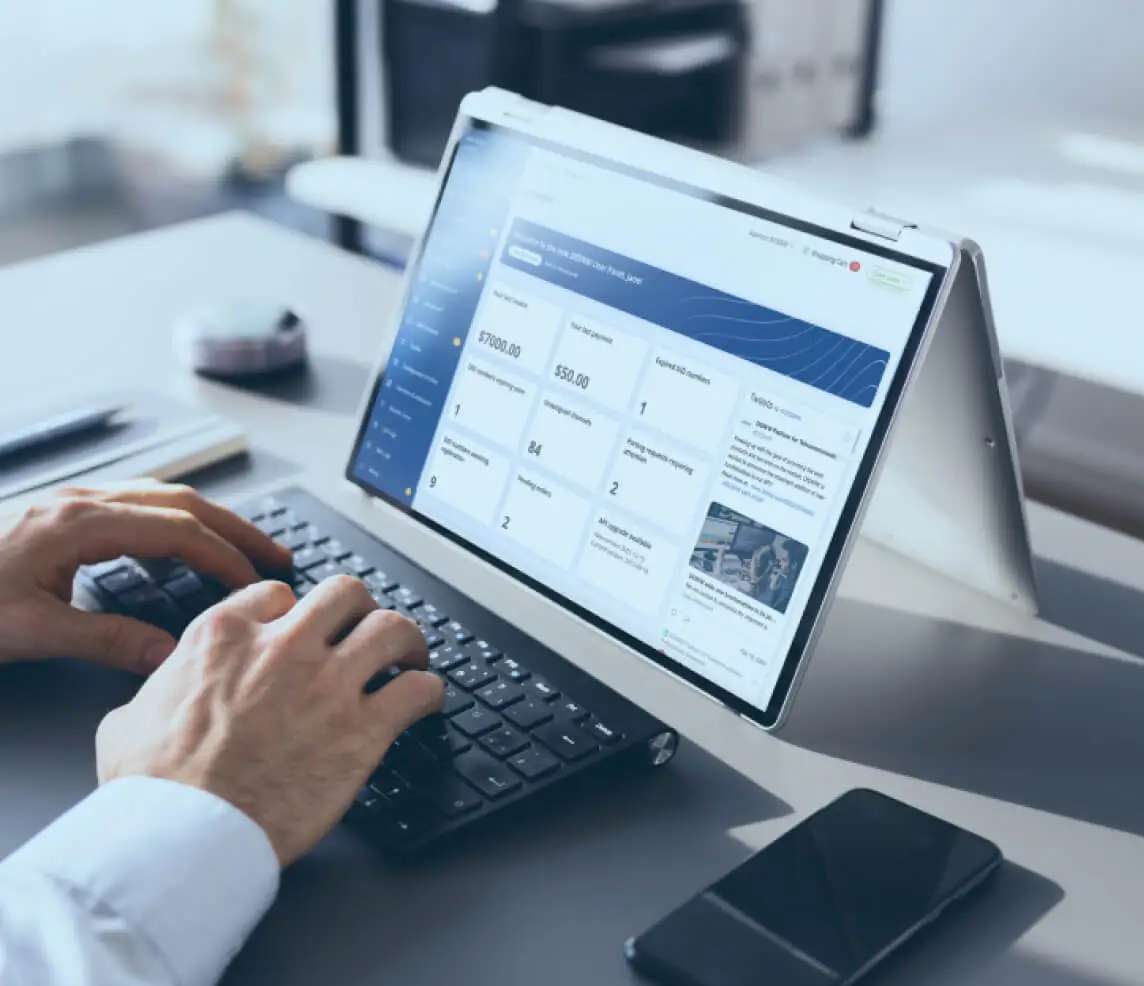
Powerful, yet simple-to-use self-service portal
Choose the DIDWW user panel for full control of your telecommunication services. Statistics, monitoring, number search, porting and provisioning.

Time saving business processes automation
Include the extensive range of DIDWW core services within your own business processes with the REST API.
Over 1000 industry leaders rely on DIDWW


Quality services for enterprise communications
Scalable and fully compliant global backbone for your business telephony. Free number porting, customized onboarding and pricing. Benefit from secure and reliable global connectivity.
Relationships are our foundation
Free support from highly professional, competent and friendly staff, whenever you need - 24/7/365.



Our Services
Get VoIP Building blocks for telecom or business professionals
Phone Numbers
Mobile Phone Numbers
A wide selection of Voice and SMS-enabled phone numbers for cost-effective communications.
Toll Free Phone Numbers
An extensive worldwide coverage of Toll Free Numbers for global businesses with local customers.
Local Phone Numbers
Instantly available Local Phone Numbers worldwide combined with premium quality, reliability and full regulatory compliance.
Shared Cost Numbers
Effortless business phone number setup with country-wide accessibility.
National Phone Numbers
Complete freedom with National Phone Numbers for businesses in multi-regional markets across the globe.
Universal International Freephone Numbers
A single Toll Free Number for a truly global brand presence and reachability.
Mobile Phone Numbers
A wide selection of Voice and SMS-enabled phone numbers for cost-effective communications.
Toll Free Phone Numbers
An extensive worldwide coverage of Toll Free Numbers for global businesses with local customers.
Local Phone Numbers
Instantly available Local Phone Numbers worldwide combined with premium quality, reliability and full regulatory compliance.
Shared Cost Numbers
Effortless business phone number setup with country-wide accessibility.
National Phone Numbers
Complete freedom with National Phone Numbers for businesses in multi-regional markets across the globe.
Universal International Freephone Numbers
A single Toll Free Number for a truly global brand presence and reachability.
Mobile Phone Numbers
A wide selection of Voice and SMS-enabled phone numbers for cost-effective communications.
Voice and SMS trunks
Outbound SIP trunk
A highly scalable and flexible SIP trunking solution for cost-efficient calling with the highest level of audio quality using DIDWW local and global VoIP termination routes.
Inbound SMS trunk
A reliable Inbound (E-mail, HTTP, SMPP ESME, SMPP SMSC) SMS trunk service for receiving messages sent to local, national and mobile SMS-enabled DIDs.
Inbound SIP trunk
A powerful inbound (SIP, IAX2, H.323, PSTN) trunking solution for the reliable delivery of inbound VoIP traffic with load balancing for maximum scalability and high service availability.
Outbound SMS trunk
A powerful outbound SMS (HTTP, SMPP ESME, SMPP SMSC) trunk service for sending messages from DIDs to mobile phones around the globe.
Outbound SIP trunk
A highly scalable and flexible SIP trunking solution for cost-efficient calling with the highest level of audio quality using DIDWW local and global VoIP termination routes.
Inbound SMS trunk
A reliable Inbound (E-mail, HTTP, SMPP ESME, SMPP SMSC) SMS trunk service for receiving messages sent to local, national and mobile SMS-enabled DIDs.
Inbound SIP trunk
A powerful inbound (SIP, IAX2, H.323, PSTN) trunking solution for the reliable delivery of inbound VoIP traffic with load balancing for maximum scalability and high service availability.
Outbound SMS trunk
A powerful outbound SMS (HTTP, SMPP ESME, SMPP SMSC) trunk service for sending messages from DIDs to mobile phones around the globe.
Outbound SIP trunk
A highly scalable and flexible SIP trunking solution for cost-efficient calling with the highest level of audio quality using DIDWW local and global VoIP termination routes.
Capacity
Flat-rate Capacity
Dedicated and shared concurrent voice channels for predictable call volumes.
Metered Capacity
Cost-effective solution for unpredictable call volumes with a fixed per minute rate globally.
Hybrid Capacity
Flat-rate and metered capacity combined to achieve maximum availability and cost-efficiency.
Flat-rate Capacity
Dedicated and shared concurrent voice channels for predictable call volumes.
Metered Capacity
Cost-effective solution for unpredictable call volumes with a fixed per minute rate globally.
Hybrid Capacity
Flat-rate and metered capacity combined to achieve maximum availability and cost-efficiency.
Flat-rate Capacity
Dedicated and shared concurrent voice channels for predictable call volumes.
Emergency, Porting, Forwarding, Fax
Phone Number portability globally
Wide Porting coverage for the seamless migration of your numbers to DIDWW free of charge.
Emergency Calling
DID numbers routed to the relevant Public Safety Answering Point (PSAP) for full service compliance.
Cloud Fax Services
Fax messages to selected numbers or to email, delivered via T.38 or G.711u protocols.
Call Forwarding
A wide range of voice call forwarding options including SIP, PSTN, H.323 and IAX.
SMS Delivery
Extensive SMS delivery options including SMS to email, SMS to HTTP and SMPP.
Phone Number portability globally
Wide Porting coverage for the seamless migration of your numbers to DIDWW free of charge.
Emergency Calling
DID numbers routed to the relevant Public Safety Answering Point (PSAP) for full service compliance.
Cloud Fax Services
Fax messages to selected numbers or to email, delivered via T.38 or G.711u protocols.
Call Forwarding
A wide range of voice call forwarding options including SIP, PSTN, H.323 and IAX.
SMS Delivery
Extensive SMS delivery options including SMS to email, SMS to HTTP and SMPP.
Phone Number portability globally
Wide Porting coverage for the seamless migration of your numbers to DIDWW free of charge.






Discover how to grow your business with DIDWW use cases
Voice use cases
Phone number as a value added service
Call tracking
Number masking services
Call centers
Contact centers
Voice for IoT
DIDs for conference calling
More use cases
Voice use cases
Phone number as a value added service
Call tracking
Number masking services
Call centers
Contact centers
Voice for IoT
DIDs for conference calling
More use cases
SMS use cases
SMS customer support
SMS marketing
SMS notifications
SMS verifications
SMS surveys
More use cases
SMS use cases
SMS customer support
SMS marketing
SMS notifications
SMS verifications
SMS surveys
More use cases
Business telephony
Call center & queues
Conference calling
Cloud IVR
Business phone systems
Global presence
PSTN replacement
More use cases
Business telephony
Call center & queues
Conference calling
Cloud IVR
Business phone systems
Global presence
PSTN replacement
More use cases
Trusted by professionals
- Nat Rudy
C3ntro Telecom
Carrier Interconnection Manager

“Always with the best disposition to serve us, DIDWW has helped us in fulfilling our customer’s needs, when it comes to provide them with the numbering solutions, when most of the time the requests get to us as urgent ones. Apart from everything else, it’s also fun and easy to work with DIDWW.”
- Dragan Gajovic
Air Serbia
IT Service Manager

“We had a very fast integration with our IP voice system and their accessible and open procedures helped us reach our goals. During our contact center transition from an in-house solution to outsource solution, there weren’t any outages. The onboarding process was simple, fast and with substantial assistance.”
- Andriy Azarov
Nectar Desk Inc.
CEO

“Virtual numbers and Phone Systems are essential parts of our offering, therefore DIDWW is one of the key components in our infrastructure. They have great support and high quality service. We became a client of DIDWW when we were very small, but still were treated in a proper way and were able to discuss business conditions, which helped our growth.”
Andriy AzarovNectar Desk Inc.
CEO
Nectar Desk Inc.
CEO
“Virtual numbers and Phone Systems are essential parts of our offering, therefore DIDWW is one of the key components in our infrastructure. They have great support and high quality service. We became a client of DIDWW when we were very small, but still were treated in a proper way and were able to discuss business conditions, which helped our growth.”
Nat RudyC3ntro Telecom
Carrier Interconnection Manager
C3ntro Telecom
Carrier Interconnection Manager
“Always with the best disposition to serve us, DIDWW has helped us in fulfilling our customer’s needs, when it comes to provide them with the numbering solutions, when most of the time the requests get to us as urgent ones. Apart from everything else, it’s also fun and easy to work with DIDWW.”
Dragan GajovicAir Serbia
IT Service Manager
Air Serbia
IT Service Manager
“We had a very fast integration with our IP voice system and their accessible and open procedures helped us reach our goals. During our contact center transition from an in-house solution to outsource solution, there weren’t any outages. The onboarding process was simple, fast and with substantial assistance.”
Andriy AzarovNectar Desk Inc.
CEO
Nectar Desk Inc.
CEO
“Virtual numbers and Phone Systems are essential parts of our offering, therefore DIDWW is one of the key components in our infrastructure. They have great support and high quality service. We became a client of DIDWW when we were very small, but still were treated in a proper way and were able to discuss business conditions, which helped our growth.”
Nat RudyC3ntro Telecom
Carrier Interconnection Manager
C3ntro Telecom
Carrier Interconnection Manager
“Always with the best disposition to serve us, DIDWW has helped us in fulfilling our customer’s needs, when it comes to provide them with the numbering solutions, when most of the time the requests get to us as urgent ones. Apart from everything else, it’s also fun and easy to work with DIDWW.”
Dragan GajovicAir Serbia
IT Service Manager
Air Serbia
IT Service Manager
“We had a very fast integration with our IP voice system and their accessible and open procedures helped us reach our goals. During our contact center transition from an in-house solution to outsource solution, there weren’t any outages. The onboarding process was simple, fast and with substantial assistance.”
Andriy AzarovNectar Desk Inc.
CEO
Nectar Desk Inc.
CEO
“Virtual numbers and Phone Systems are essential parts of our offering, therefore DIDWW is one of the key components in our infrastructure. They have great support and high quality service. We became a client of DIDWW when we were very small, but still were treated in a proper way and were able to discuss business conditions, which helped our growth.”


Are you ready to
remove the boundaries?
Create or expand your cloud telecommunications

Stay updated
Explore articles, e-books and other resources to help you make your
VoIP business decisions